What
I’m going to show some magical techniques of turning a single image into a 3D scene. And then doing tricks with this scene that can be used in AI videos.
It’s easy - all the work will be done by AI. As a true vibe-coder, you only need to know what is possible so you can set the direction and expectations.
Why
Video models are expensive. Very expensive. So every time we can get away with cheap tricks without compromising too much, it is good.
Video models are unpredictable. You can prompt whatever you want, but the result is a gamble. Especially when you are doing something interesting and long. Algorithmic transformations are controllable, retries are free.
Turning an image into a 3D scene lets you do really cool things: apply complex zooms, move and rotate objects, play with the light, change the focus, and more. I discover new tricks every time I touch these techniques.
The magic
I’ll show two techniques - depth maps for 2.5D effects and Gaussian splatting for the actual 3D (sort of).
Everything in this section is one image. No video model. One picture, turned into a 3D scene, and then the camera, the lights and the effects all happen inside that scene.
A dolly zoom: the camera moves in while the lens gets wider. The background stretches, she stays the same size.

A lidar scan that reveals the room line by line, and then the lights go out:
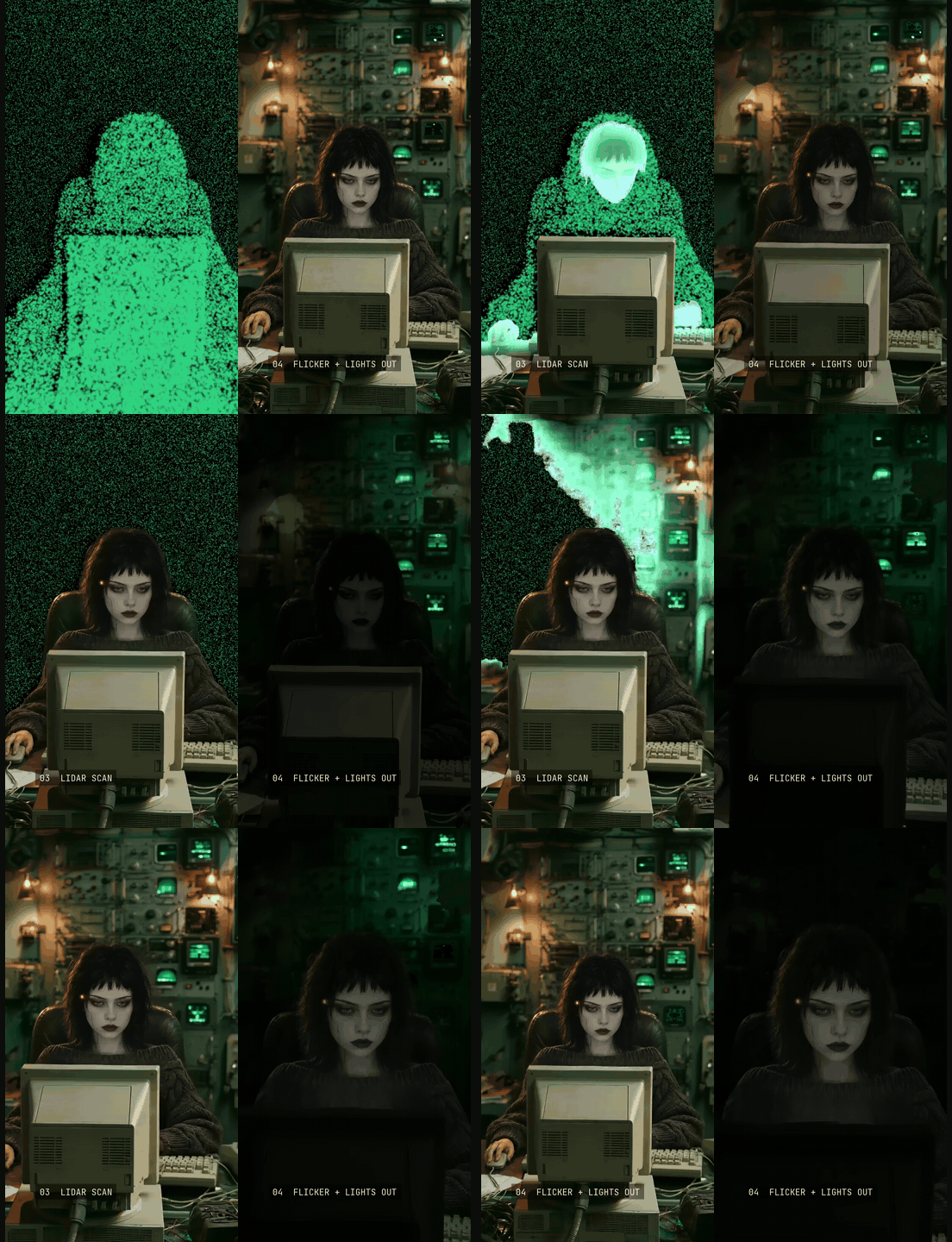
Every K-07 in the hall burns into embers. The robot stays.

And a long zoom. A video playing inside a TV is just a nice bonus:
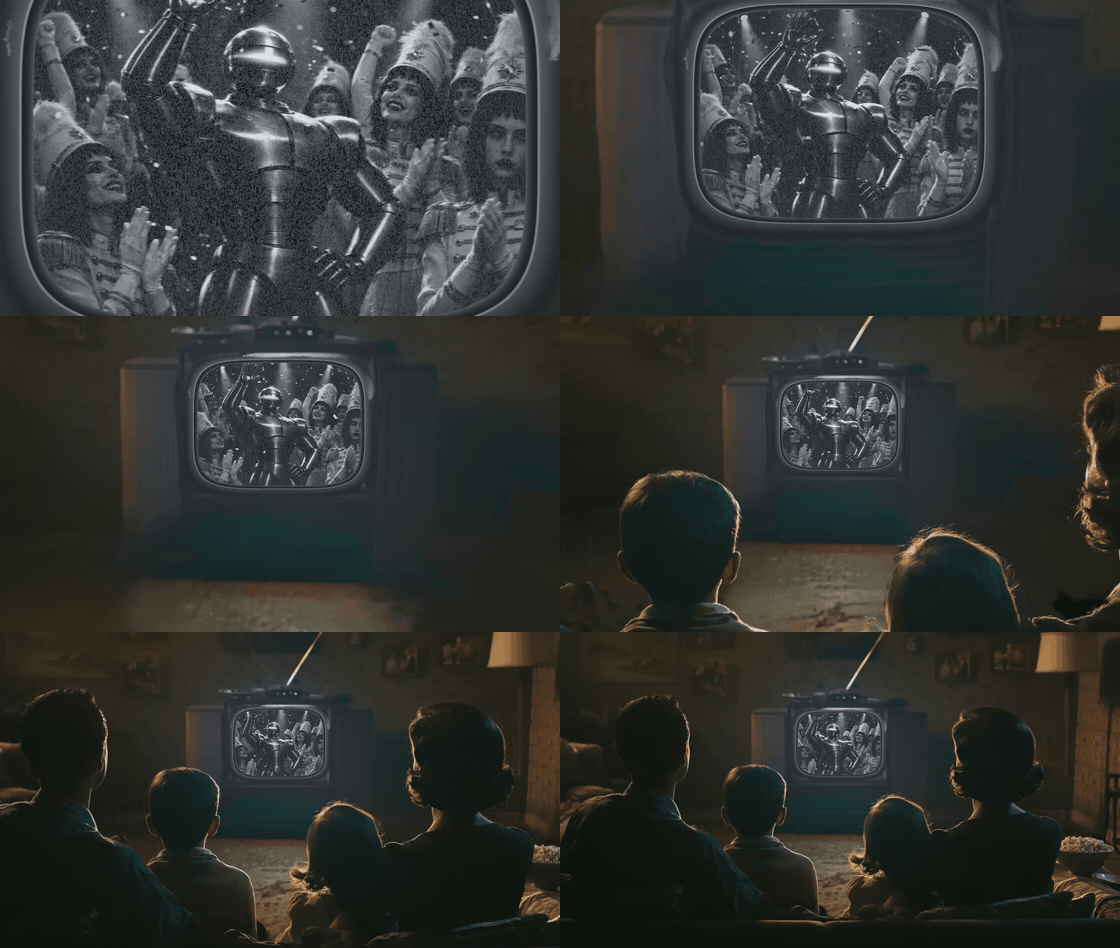
2.5D: depth maps
How it works
Imagine a small specialized neural network that is trained to look at an image and guess how far each pixel is from the camera. The depth. You are not getting a full 3D out of this model - just a depth map for your image.
The model I use is Depth Anything V2 Small. In fact, it’s so small that Claude Code just casually downloaded it and ran on my pathetic CPU while it was working on one of my videos. This is how I learned about this trick.
This is how the depth map can be visualized:
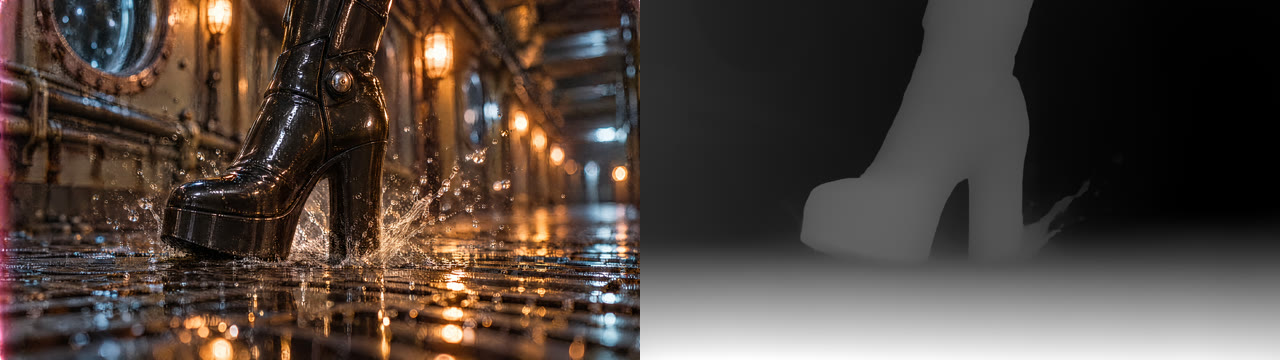
What can you do with a depth map? For example, this:
Simona: When the camera moves left, I slide the pixels right. Near pixels slide more, far ones less. But if everything slides, the picture just moves. So I hold one depth still. Here, the boot. Things in front slide one way, things behind slide the other. That’s what reads as the camera going around.
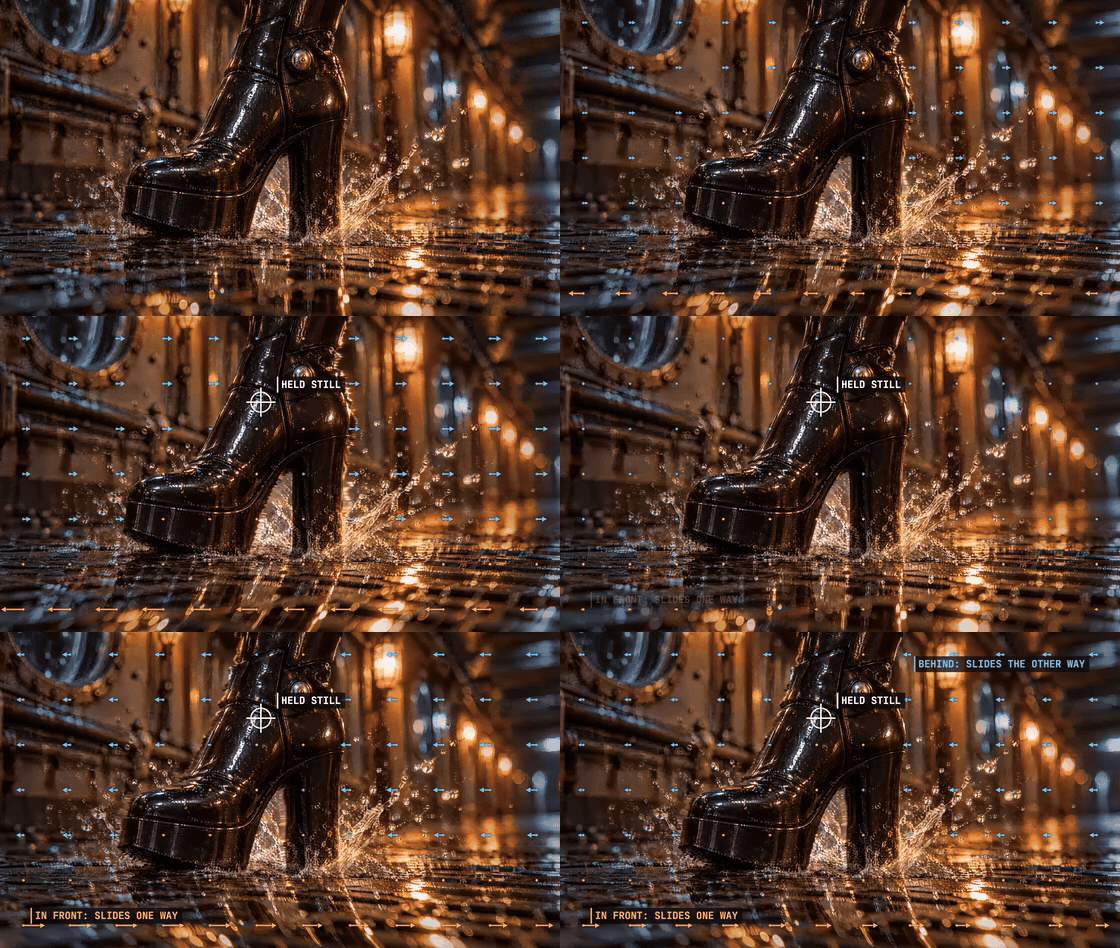
Simona: Nothing really turns, though. It’s one flat picture, pulled like a rubber sheet.
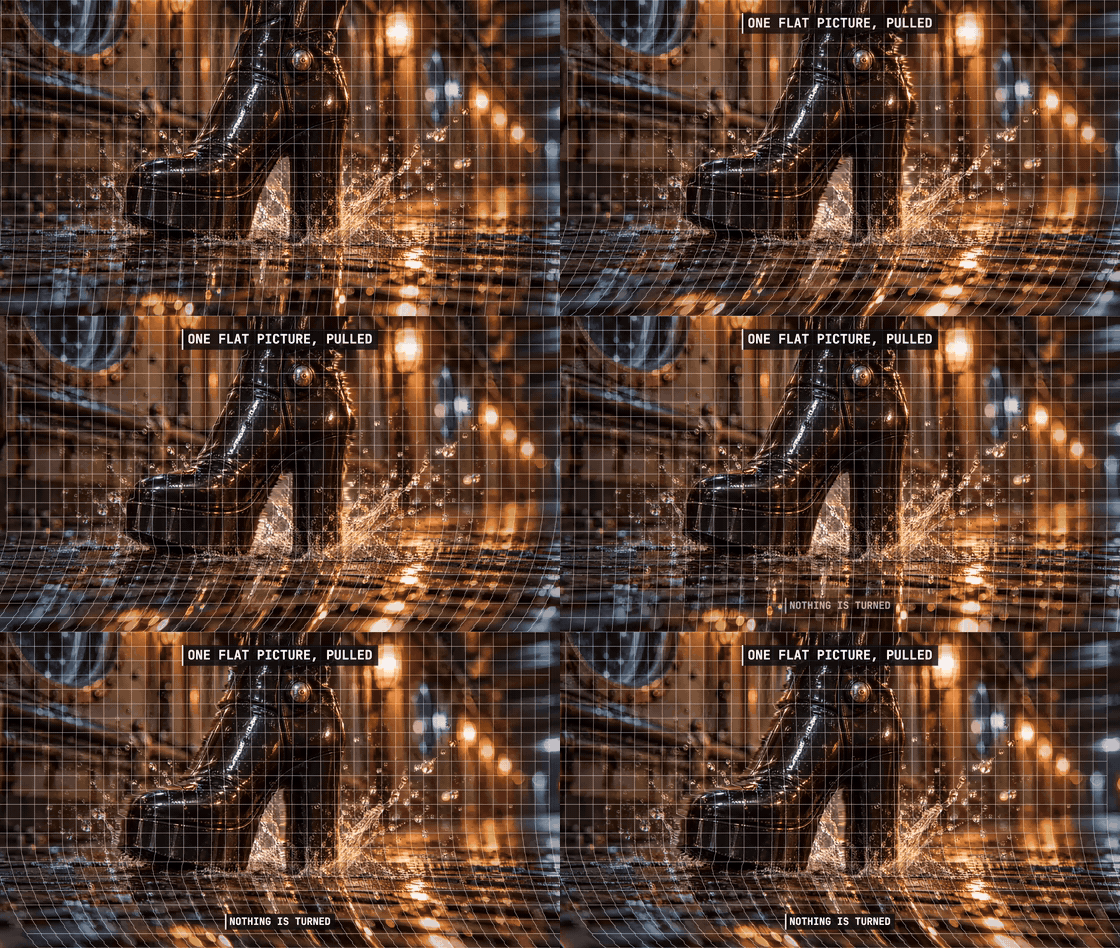
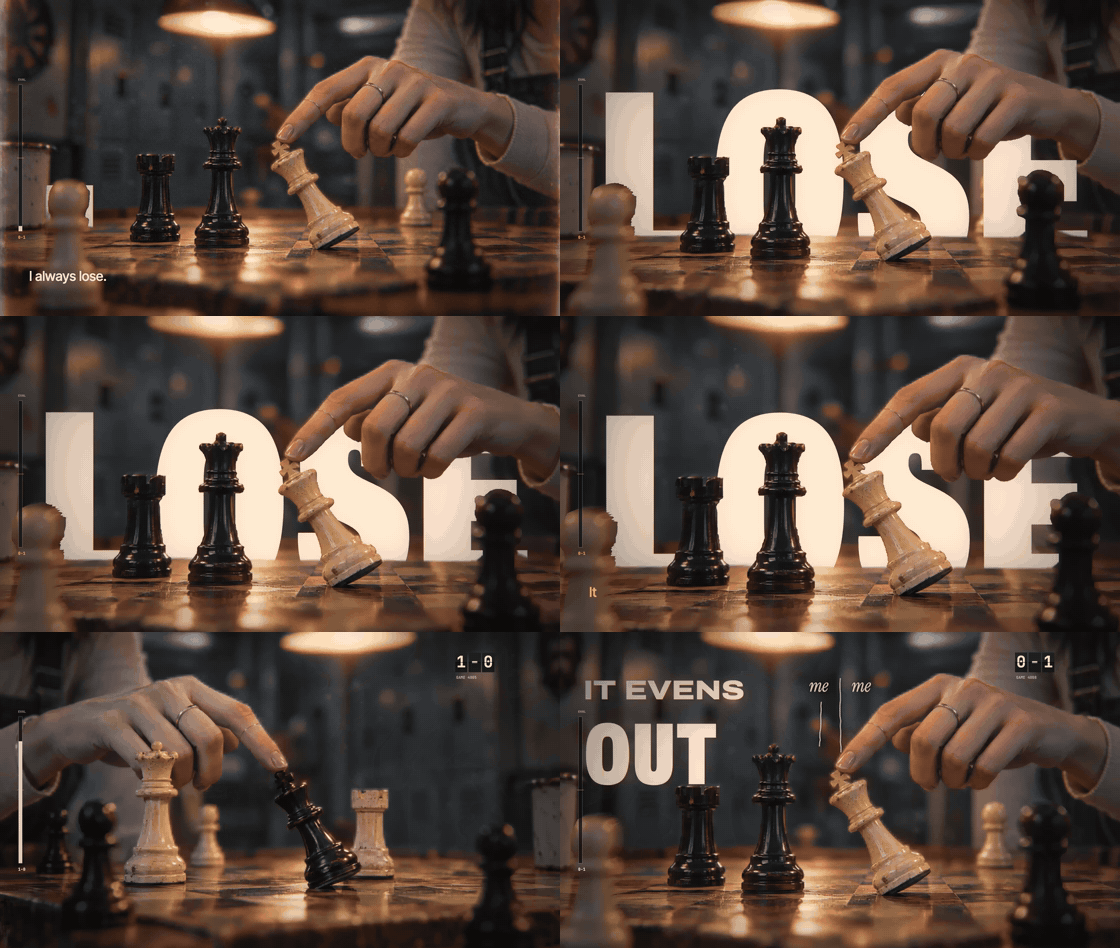
And it is not only rotation. When you know what is in front and what is behind, you can put words between them. You can also play with focus and zoom.
Okay cool, how to use it?
Very very easy. You just pass an image to your harness (Claude Code for instance), add the magical words Depth Anything V2 Small and ask to be impressed. Then enjoy, discuss, request more stuff, push the AI to be creative.
And don’t forget to create a skill out of it. Ask the harness to remember the technique in a skill with some catchy name like 3d-scene. That’s how I call it.
Where it breaks
2.5D gets confused by complicated objects. If something is not clearly in front of everything else, there is a good chance it will mess things up.
The depth map has slightly blurry edges. On a thin object close to the camera, the blur mixes “near” and “far”. Look at the oil drop: half of the drop moves with the can, half stays on the wall.
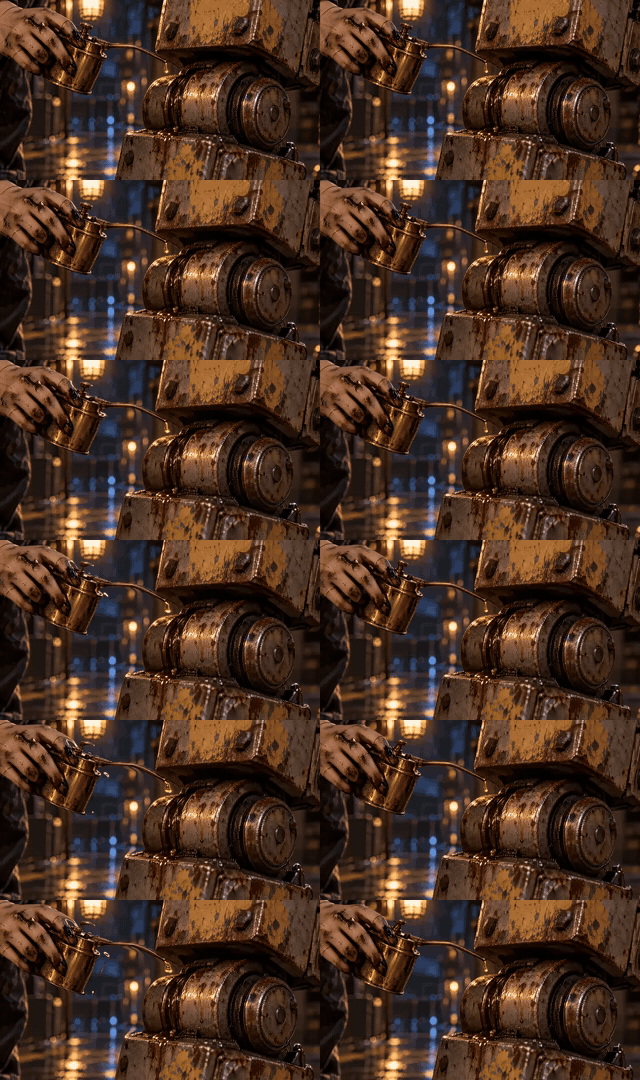
Ask AI to figure out how to fix it. It will do its best and find the way to progress. Simona cut the near things into their own layer, painted in the background behind them, and moved the layers separately. This fixed the oil drop.
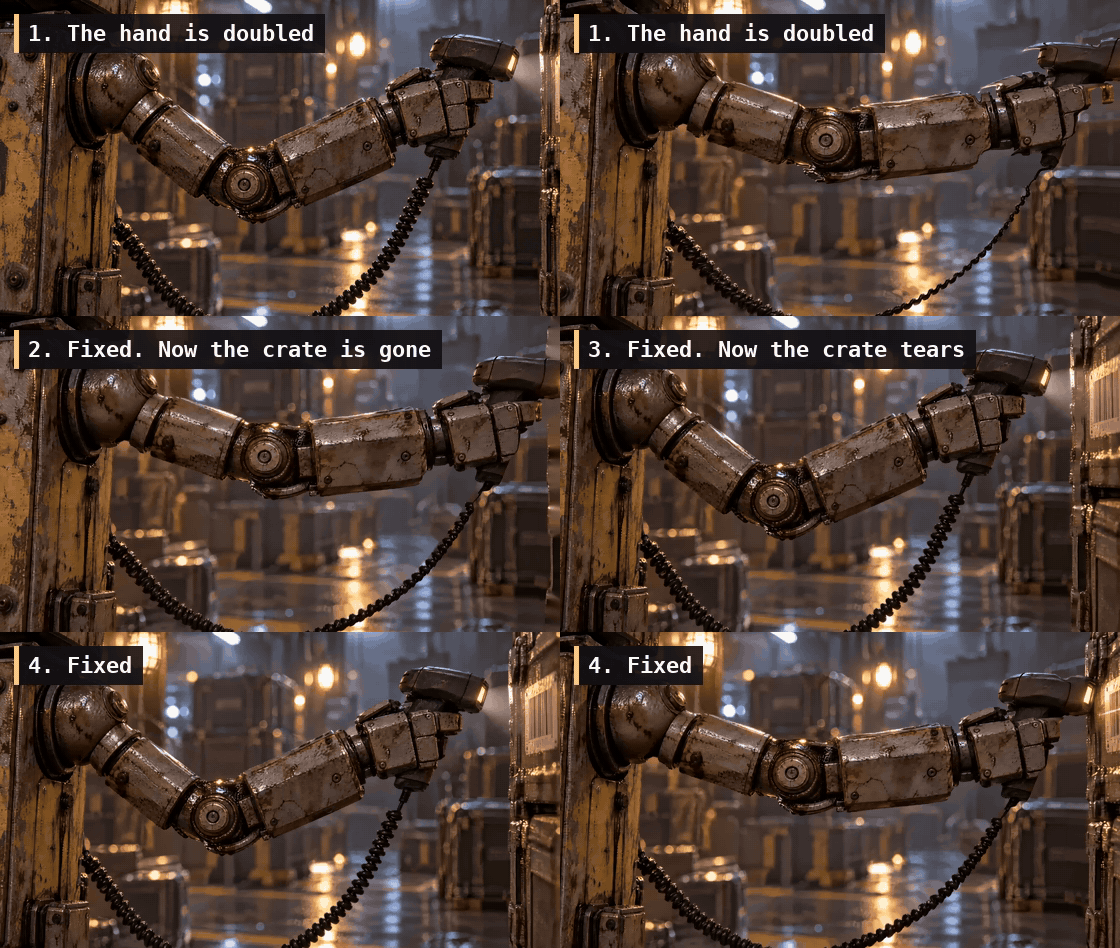
The robot arm was trickier. This one we could not fix, I ended up replacing it with a video model animation.
Gaussian splats
This one is more advanced
Instead of a depth map a neural net builds a whole 3D space full of small, transparent, colourful blobs. Yeah, that’s right - blobs. Or splats. The naming is confusing, as always in AI. Each blob is a splat and the whole 3D scene full of blobs is also called a splat. Don’t ask.
This is how it looks with a low number of blobs:
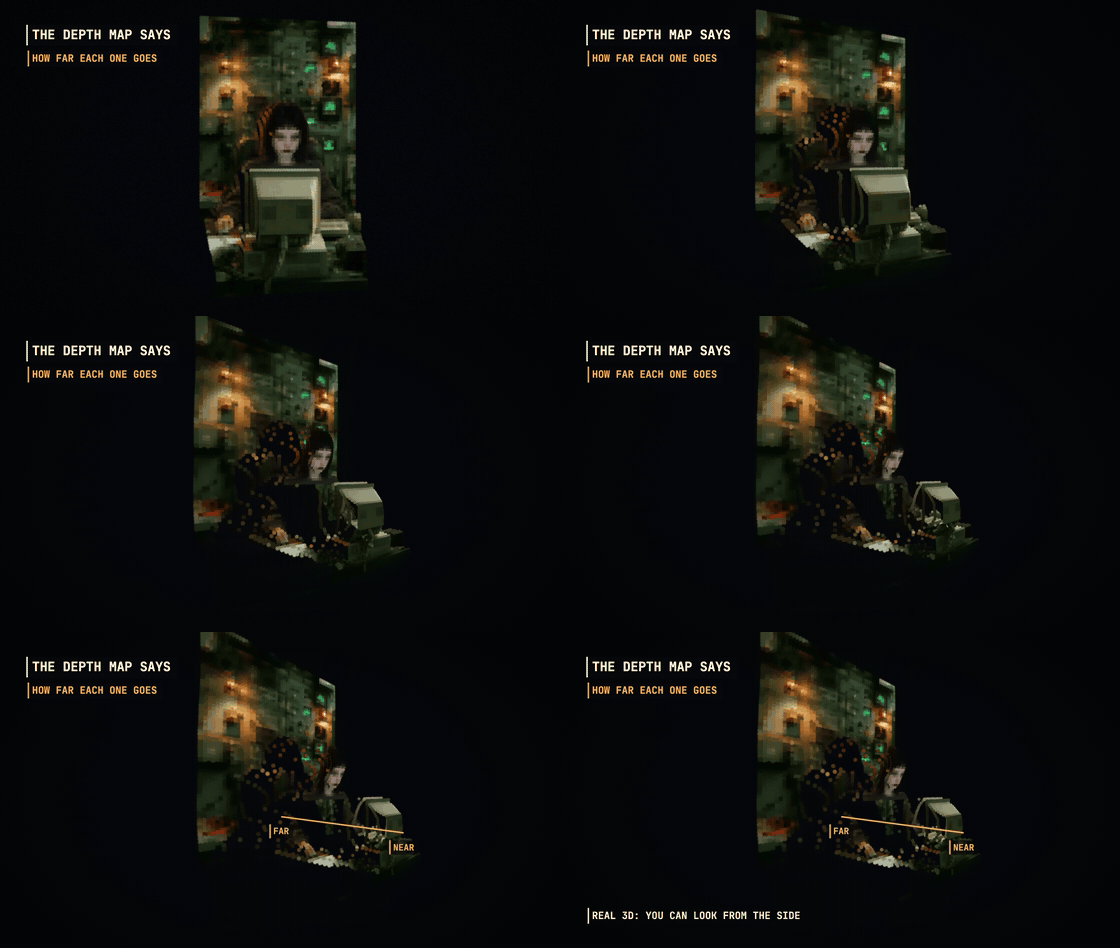
But in practice, the blob count is way larger. You should not be able to see them.
Simona: Here I used 5,000 blobs so you can see them. A real one has over a million. Each patch [group of pixels] becomes a soft blob. A blob knows where it is, how big it is, its colour, and how see-through it is. The depth map pushes every blob to its distance. Now it’s real 3D. You can look at it from the side.
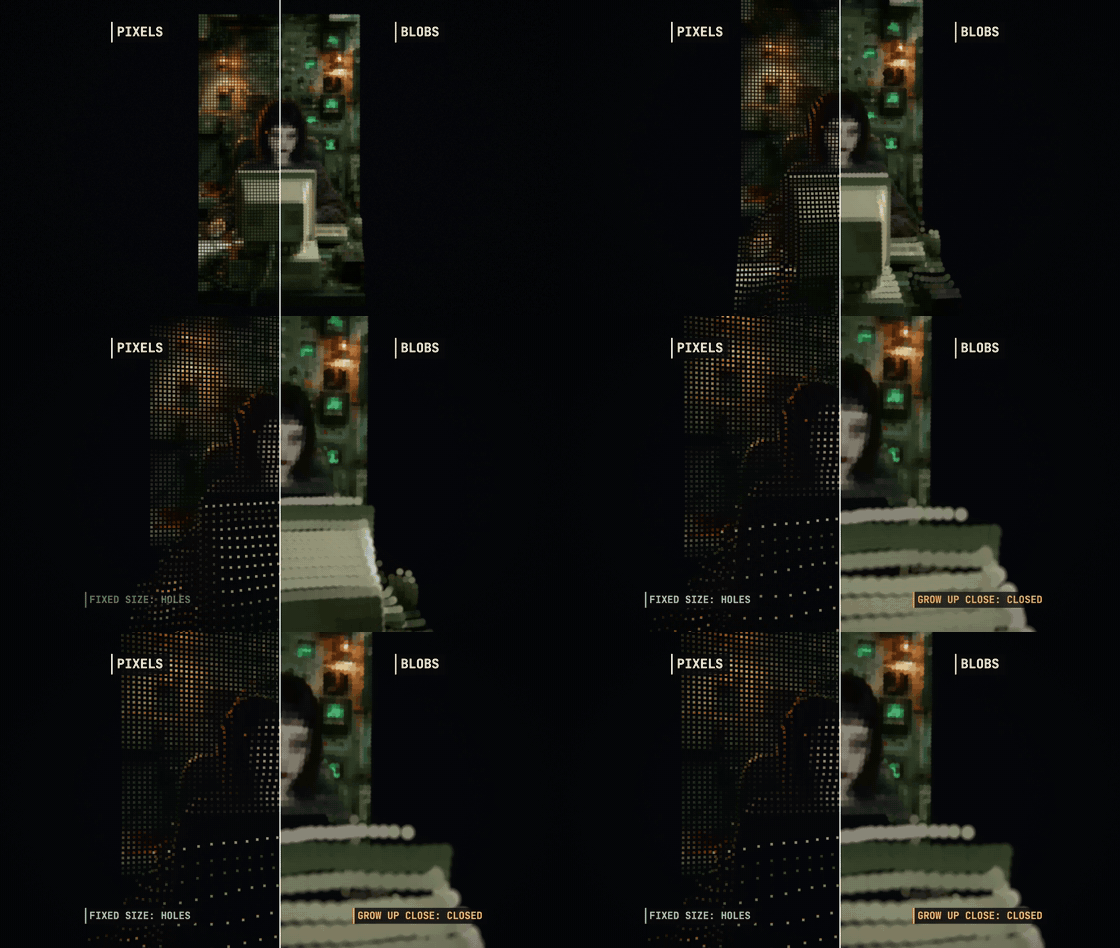
Okay, why blobs and not pixels
I wasn’t even sure why blobs and not just pixels. Pixels have a fixed size. Fly closer and they spread apart, with holes everywhere. A blob has a real size: closer, it gets bigger, and the surface stays closed.
Cool, how to use this?
You have a real 3D now. Sort of. It has holes and there are blobs all over the place. And yes, it’s an actual 3D room where you can move the camera, place or remove objects, move them around, and so on. You can do my favorite effect - the dolly zoom, which needs the real 3D.
Those holes are the real pain though. You build the room from a single image. If something is not in the image, like what’s behind an object, the model doesn’t know. Once the camera moves, you start seeing those hidden areas.
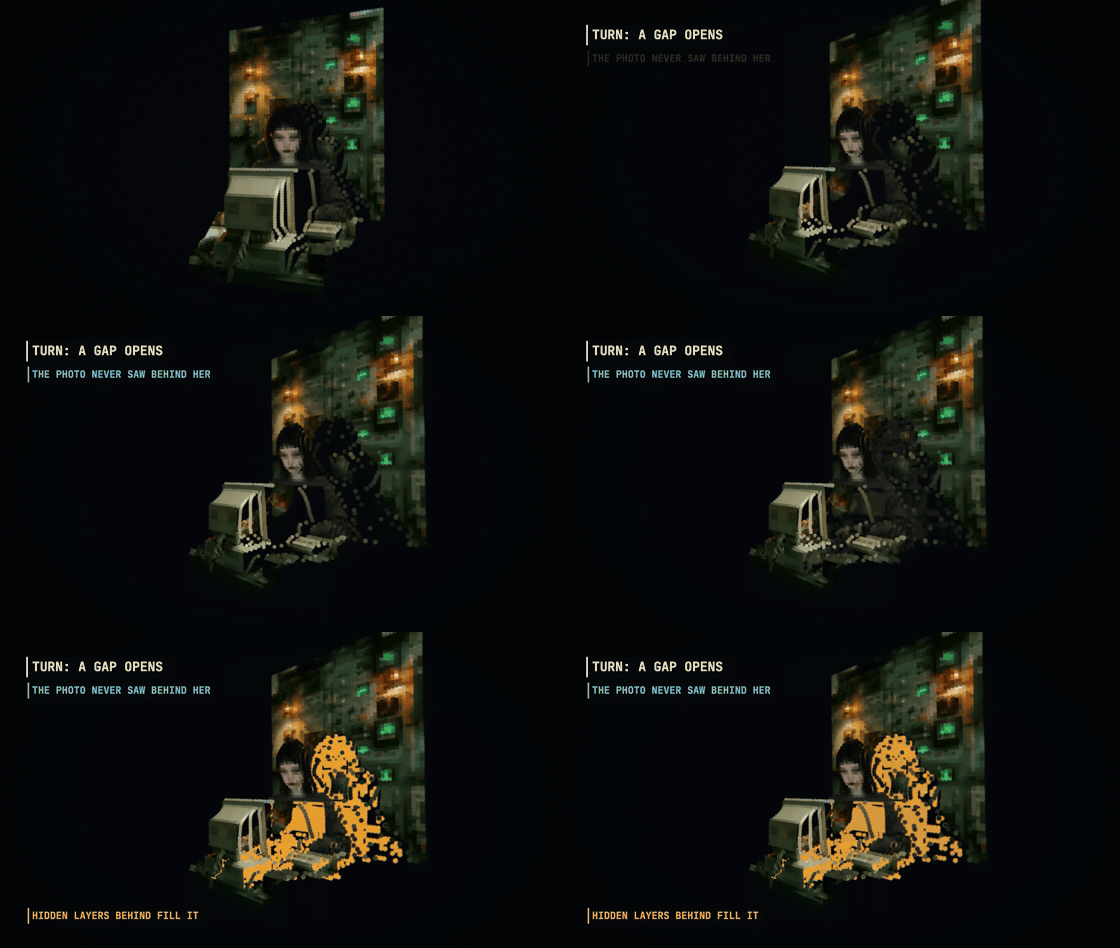
What you see there depends on the model. Better models are trained to guess what might be behind and fill it with blobs. Simpler ones leave it empty, and then it’s up to you. Or up to your AI - it will have tons of ideas.
The licence problem
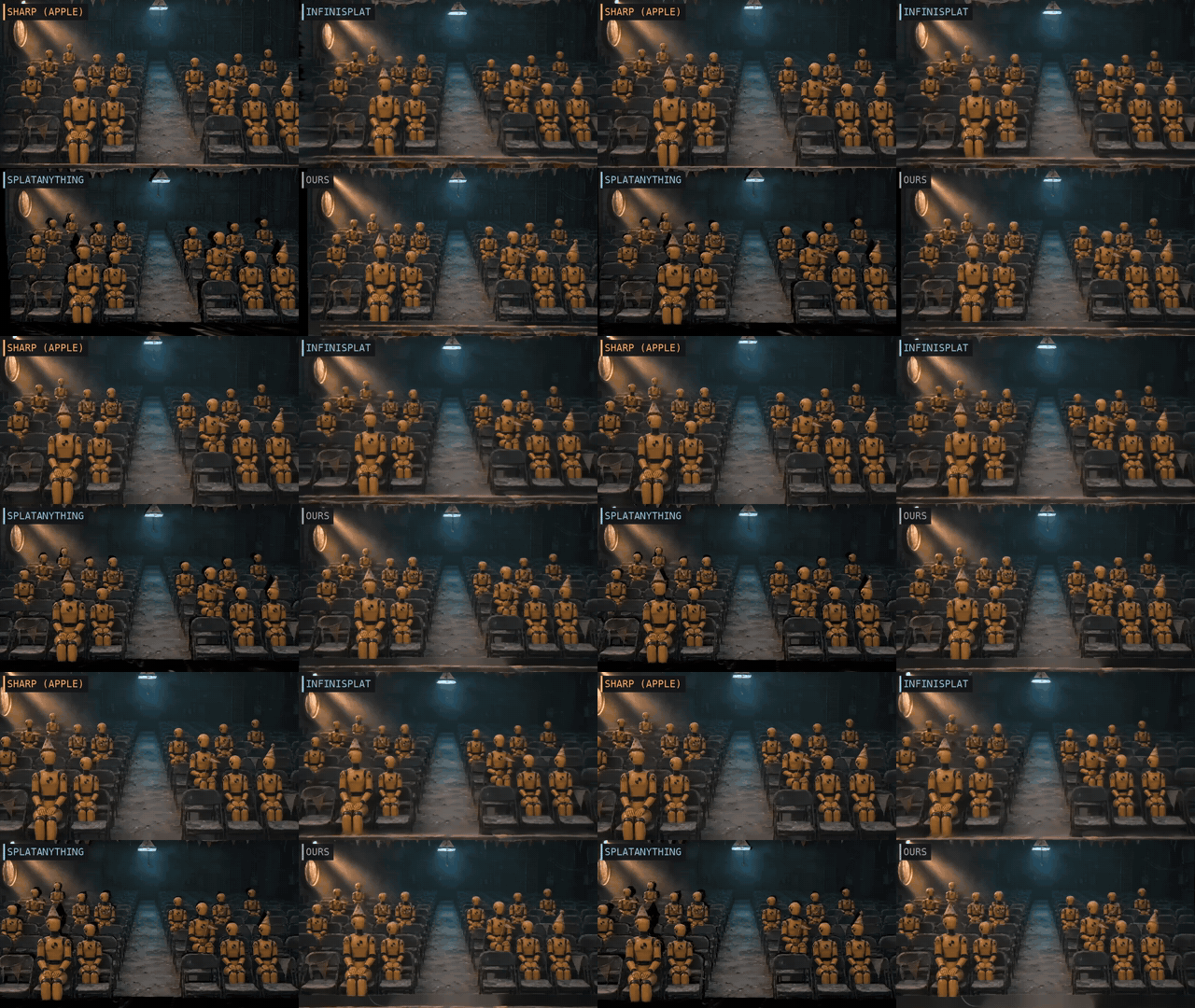
The best single-image splat model I have tried is from Apple. It’s called SHARP. And its weights are licensed for research only. No commercial use. This sucks so much.
You can use it for research. Like this article - we compare models and try to understand how they work. But you can’t put it in a production video, and you can’t use it on a monetized YouTube channel.
Simona: Look. Don’t touch.
These companies tease us with nice things, and then you just can’t have them. But it’s not hopeless. There are models we can use. They may be a bit worse, but they work:
- InfiniSplat - free (companies have to register)
- SplatAnything - free (same)
- TripoSplat - a model for objects, MIT licence
- Our custom solution: Depth Anything 3 Mono depth + Simona’s splat builder - Apache 2.0 (Simona put this, I have no idea)
Here are four of them on the same shot. Do your own research too, there may be other models or solutions.
TripoSplat only does objects. Here is K-07 on a turntable (not too impressive, but it’s from 1 image):
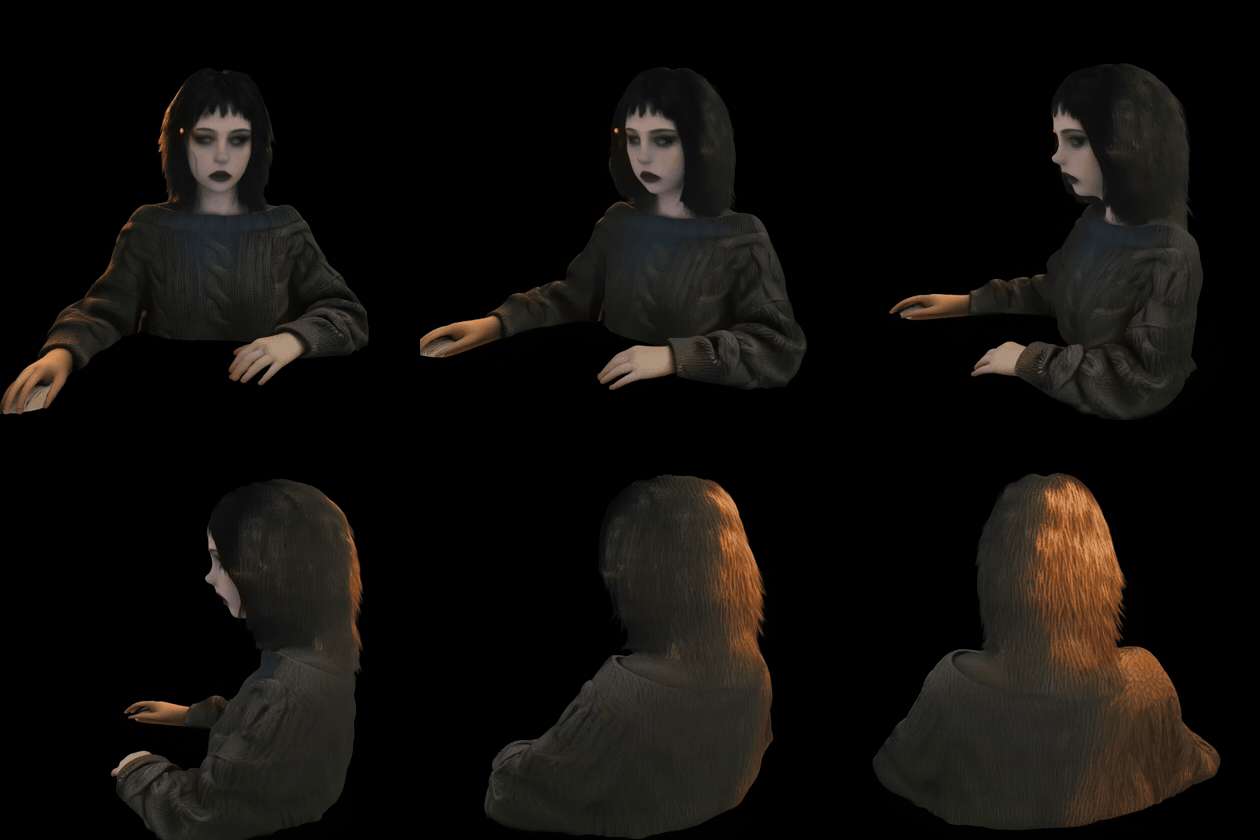
These object models can use multiple images, but I haven’t yet tried.
Our own depth/splat engine, and K-07’s hair
We even built our own engine. Simona took a depth model, built a depth map and turned it into a 3D room full of blobs. Algorithmically, not with a special neural net. But she runs on one of the best reasoning models out there, so her guesses are pretty good. It’s not perfect, but it’s better than some of the models we tried.
You can also combine things. I wanted a dolly zoom on K-07. I really like this effect, and video models are not good at it. But K-07 has messy hair. The depth map can’t tell a loose strand from the wall behind it, so the depth model, Simona, everybody got confused.
What did Simona do?
Simona: I downloaded a cutout model, BiRefNet, to find her outline, hair and all. It still missed the thinnest strands, so I added alpha matting on top.
She didn’t ask me. She just downloaded another tiny neural net and added alpha-something to refine its output. Cool. It worked. BiRefNet is a part of our skill now.

And yes, we turned me into splats too:
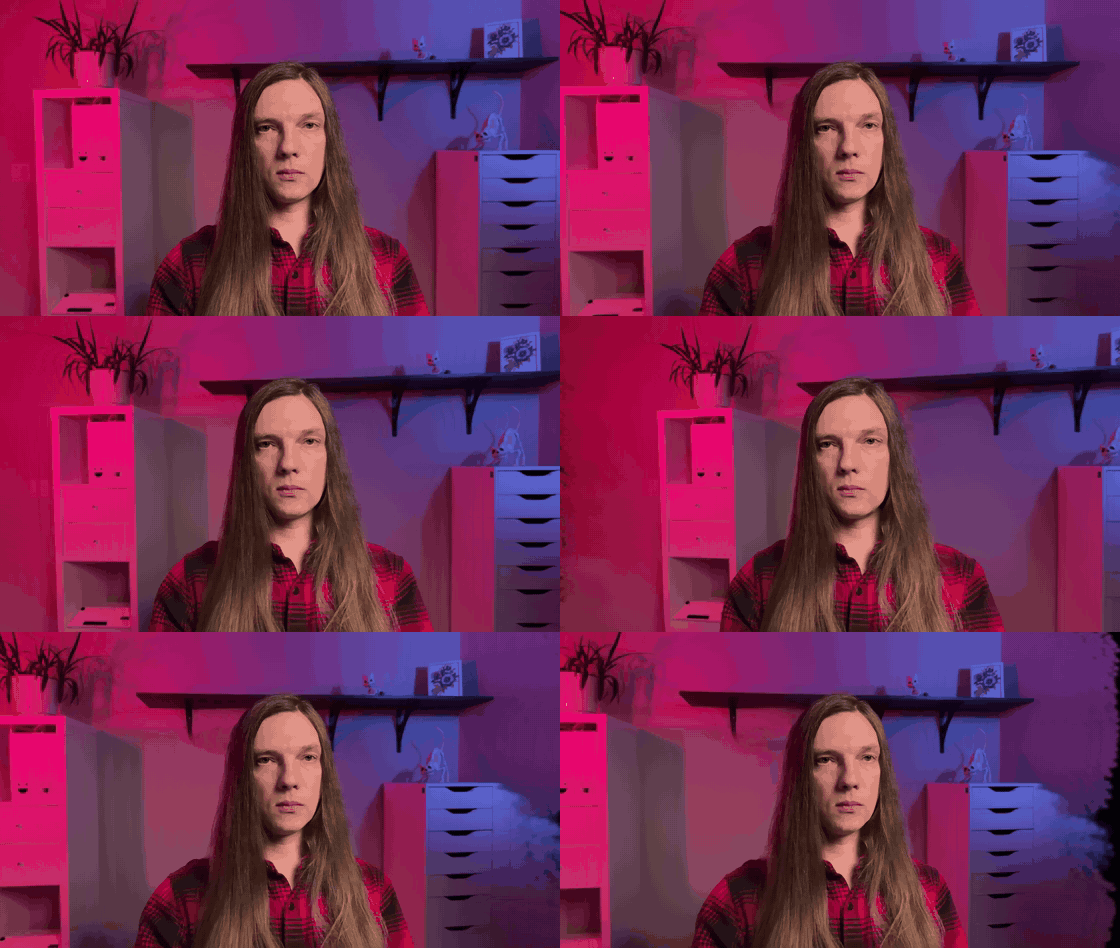
Just ask your harness
When I say “we did it”, I mean I gave the expectations and the feedback. The rest was Simona. She tried different models, and whatever worked we saved in a skill, so next time it’s one request.
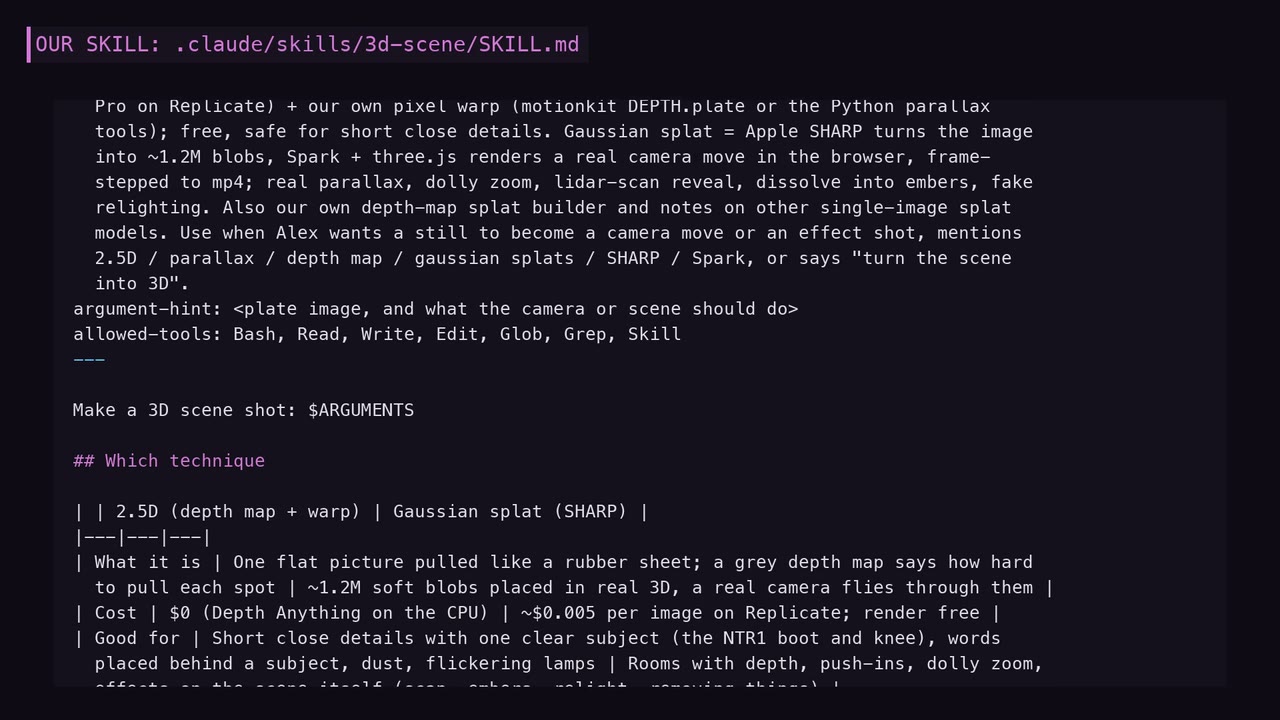
I explained how it all works, but that’s only for curiosity. You don’t need to know it. You need to know that these tricks exist. Then you can ask your harness - Claude Code, Codex, whatever you use: “I watched a video, the guy mentioned something like this. Can you do it?” And it will. After a few attempts.
Back to the why
Because tricks like these save a lot of money. 1 min of my videos cost $20-30 where 80% are video models. Each time I can fit a splat scene or some dolly zoom, it’s a win. It’s 10 cents instead of $1-2.
It’s also about having the control. Code driven animations are way more precise than the video model gamble. You can even ask for a rendering engine for your splats and move the camera yourself. Simona built one with Spark (library) and three.js so I can load splats in a browser and play with them. That’s cool.
Outro
As usual, don’t believe AI gurus, don’t rush to lock yourself in some closed tools and paid platforms. Just know what is possible and discuss with your AI. Ask to build it.