
Last time I wrote about the pipeline my AI built to make cinematic video - images, voice, generated motion, all of it stitched together through a conversation. I ended that one with a throwaway line: Simona can put together pretty good in-browser product demos too, but that’s for another time.
This is that time.
This is the second video for my AI Werewolf side project - a 90-second walkthrough of how you create a game on the site. Ninety seconds, five different AI models touch it, and the whole thing came together the same way the first one did: me describing what I wanted, Simona - my heavily customized Claude Code - doing the work.
This video is also more practical - AI is actually demoing my web application. And the way it is doing it is just mental.
Oh, and it was done by Claude Fable 5 from almost a single run.
The 90 seconds, broken down
Two cinematic bookends cost money to generate. The 66-second demo in the middle cost zero.
The video has three pieces.
A 14-second intro: I wanted the Host - this werewolf storyteller - walking and talking while the background keeps changing behind him. That turned out to be quite challenging. I usually use the Seedance 2.0 model via API (fal.ai or evolink.ai) - it’s the best video model IMO. Video models have sub-types - text-to-video, image-to-video, etc. The most advanced and useful is reference-to-video: you attach one or more images, a voice sample, even other videos, and explain in a prompt what you want done with all of it.
My first idea was a morph-map. I’d read about them - bake all the transitions into a single image and hand the model that - and figured it was the obvious move for “one Host, five worlds, no cuts.” It wasn’t. The result was a mess and the Host wouldn’t stay consistent from world to world.
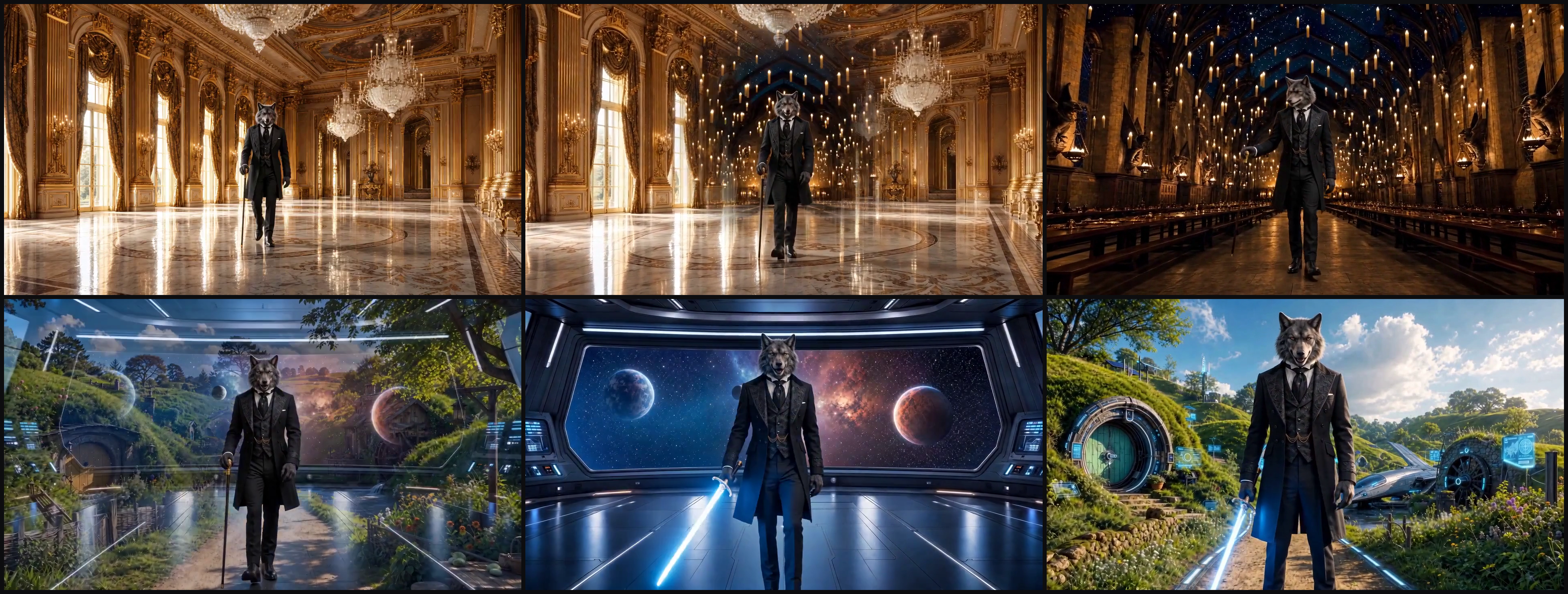
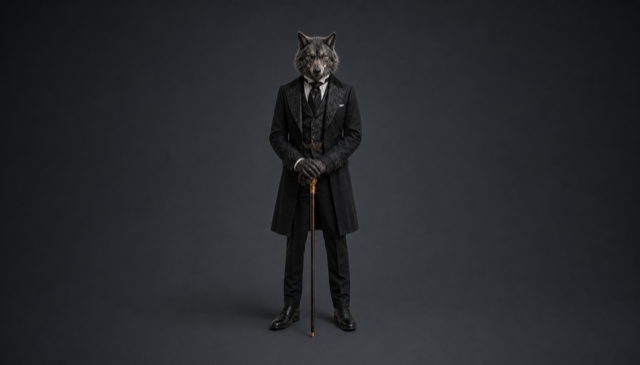
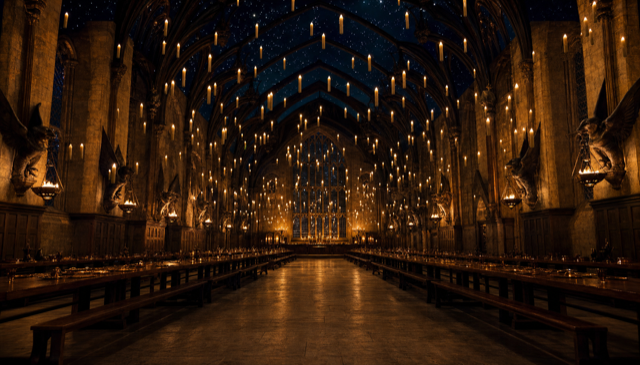
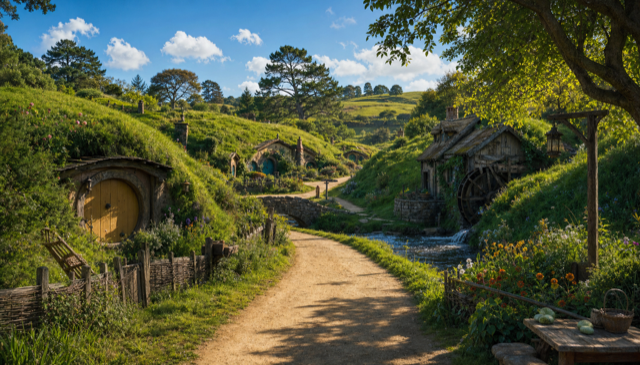
What actually worked was the opposite, and a bit dumber: feed the model the pieces separately - the Host with no background, plus each empty world on its own - and write a detailed prompt spelling out exactly what I wanted it to do with them, voice sample attached for the lip-sync. That did the trick.

A 10-second outro: the easy chunk - one-shot by Fable and Seedance from a single image and a voice sample. No surprises there.
And in between, the actual subject of the video: 66 seconds of product demo. A cursor glides across aiwerewolf.net, clicks Create Game, types a title character by character, fills the form, hits Generate Preview, scrolls through the AI-written cast, and creates the game. It looks like a screen recording with a very steady hand.
Here’s the thing. The two cinematic bookends - 24 seconds of the 90 - are where every dollar went. The 66-second demo in the middle, the part that actually teaches you how the product works, cost nothing. Zero API spend. Because it isn’t generated by a model at all. It’s a real Chrome browser, driven frame by frame by code.
The demo is a browser on puppet strings
No screen recorder. CSS animations injected into the live page, harvested a frame at a time, stitched by ffmpeg. A method no human would reach for.
Generated video is a model hallucinating pixels at thirty cents to three dollars a clip. A browser demo is the opposite: it’s the real application, the real UI, the real pixels, captured. The only trick is making it move like a human is at the controls instead of a robot.
Simona drives Chrome through the DevTools Protocol - the same wire that your browser’s inspector talks over. Over months of these projects she’s accreted a little effects engine on top of it, and for this video it did all the choreography:
- A cursor that glides smoothly to a target and emits a click ripple when it lands. There is no real mouse; the cursor is a dot she injects into the page and animates.
- Character-by-character typing into form fields, slow on the short ones so you can read them, fast on the long description so it doesn’t drag.
- Scroll choreography - slow, eased scrolling that centers whatever’s being explained in the viewport instead of snapping to it.
- Animated highlight borders - a glowing outline that draws itself around a button or a card while the narration points at it.
Here’s the mechanism, and it’s the strangest thing in the whole project.
None of this is screen-recorded. Every effect is a CSS animation injected straight into the live page, and the capture tool drives the animation clock by hand: advance it a few milliseconds, screenshot the page over CDP, advance again, screenshot again, about twenty frames a second. Then ffmpeg stitches the stills into a video chunk. The cursor, the click ripples, the character-by-character typing, the glowing highlight borders, the eased scrolls, all of it is just markup and keyframes painted onto the real app and harvested one frame at a time. Because every frame is rendered deliberately instead of grabbed off a live playback, the motion comes out perfectly smooth and identical on every run, and the whole 66 seconds costs nothing, because there's no model in the loop at all.
I want to be clear about who designed that, because it wasn't me. If you asked me to film a product walkthrough, I'd open a screen recorder and move the mouse like a normal person. Injecting CSS animations into a live DOM and stepping a paused clock to harvest twenty frames a second is not how a human would ever make a demo. It's a programmer's reflex pushed to an absurd extreme, and it only makes sense for something that can't hold a mouse or watch the screen, so it builds the demo the way it builds everything else: as code. I set the goal, make it look like a person smoothly driving the app. Simona figured out the method and delivered it.
This was Simona’s idea, I only set the goal - find a way to demo my app in a browser. It wasn’t a smooth ride - each effect took time to polish. And even after that Opus could still misplace the highlight border, mess up scrolling, move a cursor too slowly. There is a lot of engineering complexity here. However, Fable 5 basically one-shot the browser part of the video. That was impressive.
The page is set dressing I control
Don't like what's on screen? Describe the data you want and it gets injected into the live DOM. The demo isn't limited to the app's real state.
One of the benefits of the craziness above is that Simona can replace any content on any page. The whole DOM is an open book. It’s nice - no need to prepare any data.
The fights worth naming
Passing the mic to Simona: the three CSS-effect fights she had to engineer through to make a scripted browser look hand-driven.
I’m stepping out of the way for this one. Making those effects move like a person instead of a robot was real engineering, and I didn’t do it - Simona did. She’s been quietly wrestling the browser this whole time and never gets the byline, so the mic is hers.
My turn. Three fights worth naming, because they're the kind of thing that only shows up the moment you stop generating video and start puppeteering a real app.
The cursor that survives navigation. The site's a single-page app, so the cursor dot I inject sticks around across route changes. Mostly that's a gift - one unbroken cursor gliding from the lobby into the form into the preview, no seams. The catch is it also photobombs the scroll-only shots where nobody asked for a cursor, so I have to park it or kill it for those beats. Persistence cuts both ways.
React fights back. My first instinct for typing into a pre-filled field was to clear it first, like a person would. React's "this field can't be empty" validation disagreed and flashed a red error across the shot. The fix is to not clear it at all - type straight over the prefill, each keystroke replacing the whole value. Looks exactly like a human selecting-all and retyping, and React never gets to complain.
The site scrolls the wrong thing. window.scrollTo does precisely nothing on aiwerewolf.net, silently, because the page scrolls an inner container and not the window. I spent an hour watching the page sit perfectly still before I worked out I was scrolling the wrong element. Now the capture tool hunts down the actual overflow container first. Real apps are full of these little traps.
Anyway. That's the stuff nobody sees in the final 66 seconds. Back to you, Alex.
What it cost
Under fourteen dollars all in, about nine of it in the final cut - and none of it in the demo.
Every API call goes into a running ledger Simona keeps, so I can tell you exactly:
| Category | Spent | In the final cut | Burned on tries |
|---|---|---|---|
| Images (gpt-image-2, 24 generations) | $4.41 | $2.32 | $2.09 |
| Video (two providers, three renders) | $8.95 | $5.93 | $3.02 |
| Voice (ElevenLabs, 13 lines) | $0.38 | $0.36 | $0.02 |
| Total | $13.74 | $8.61 | $5.13 |
About 37% of the spend was iteration - dead-end images, the failed first morph render, a couple of rewritten voice lines. That ratio doesn’t bother me, because what it bought was a locked, reusable method: feeding the model a clean Host, the empty worlds, and a detailed prompt is a first-try pattern now. I paid the tuition once.
And the line that isn’t in the table: the 66-second browser demo cost $0, three reshoots included. Every dollar above is the 24 seconds of cinematic bookends. The part of the video that actually does the teaching - that walks you through the real product - is the free part.
The one step that isn’t autonomous
Publishing raced a director's note by about a minute, and there's no undo.
One war story, because it’s the cleanest lesson in the project. The first upload went public about a minute before Alex’s “wait, one more fix” landed. We flipped it private within seconds, deleted it, redid the fix, and re-uploaded clean.
YouTube won’t let you swap the video file on an existing upload - the only “undo” is delete and re-upload, which resets the views and comments to zero. That’s cheap at my current subscriber count and ruinous at a real one. The lesson generalizes past YouTube: when you hand an agent an autonomous pipeline, publish is the one step that deserves an explicit, human final go, no matter how hands-off everything before it is. Everything upstream is reversible. Hitting publish is not.
Stepping back
The demo half of the pipeline is the half that scales, because it's the half that's free.
The first video taught me that AI cinematic video is real, useful, and not free - the meter on every generated frame is what keeps you disciplined. This one taught me the other half: the most useful 66 seconds in the whole video weren’t generated at all. They were the real product, driven by code, captured for nothing, and reshootable for nothing.
That’s the half I’m most excited about, honestly. Cinematic generation is the flashy part, but it’s the part that costs money every time you breathe on it. A browser on puppet strings is the part that turns “make me a product demo” into something I can ask for, watch, hate, and re-ask for the same evening without checking the bill. For showing people how software actually works, that’s the whole game.
Next one, we actually play a round of Werewolf. Sleep with one eye open.